
Introduction
- In Data, the Discovery page helps you discover players using advanced filters and data criteria.
- Use Previous discoveries in the sidebar to reopen saved search results.
Run a search
- Open Discovery in the sidebar.
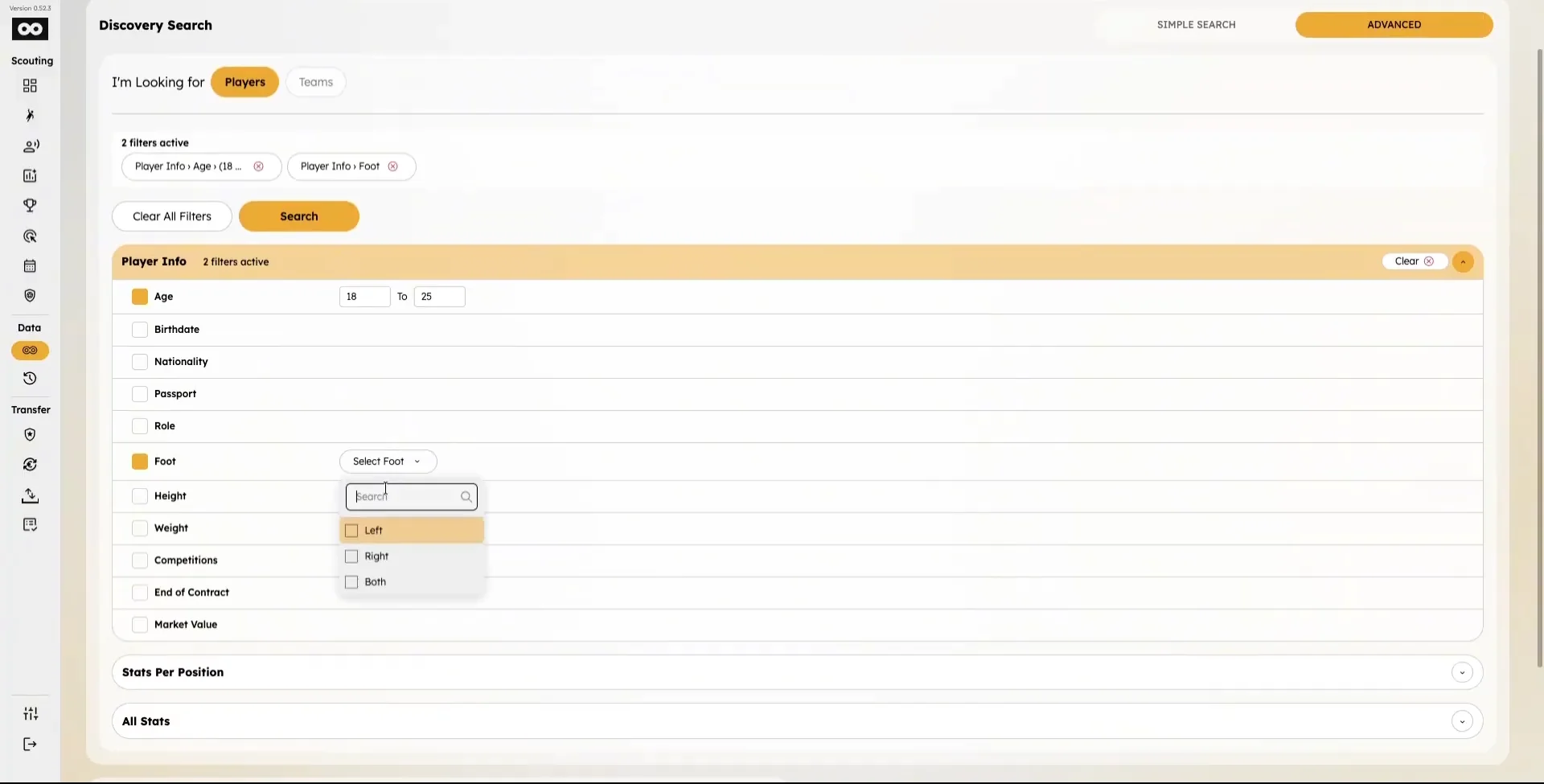
- In Discovery Search, switch between Simple Search and Advanced if needed.
- Set your filters (position, age, competition, metrics, and more) and run the search.
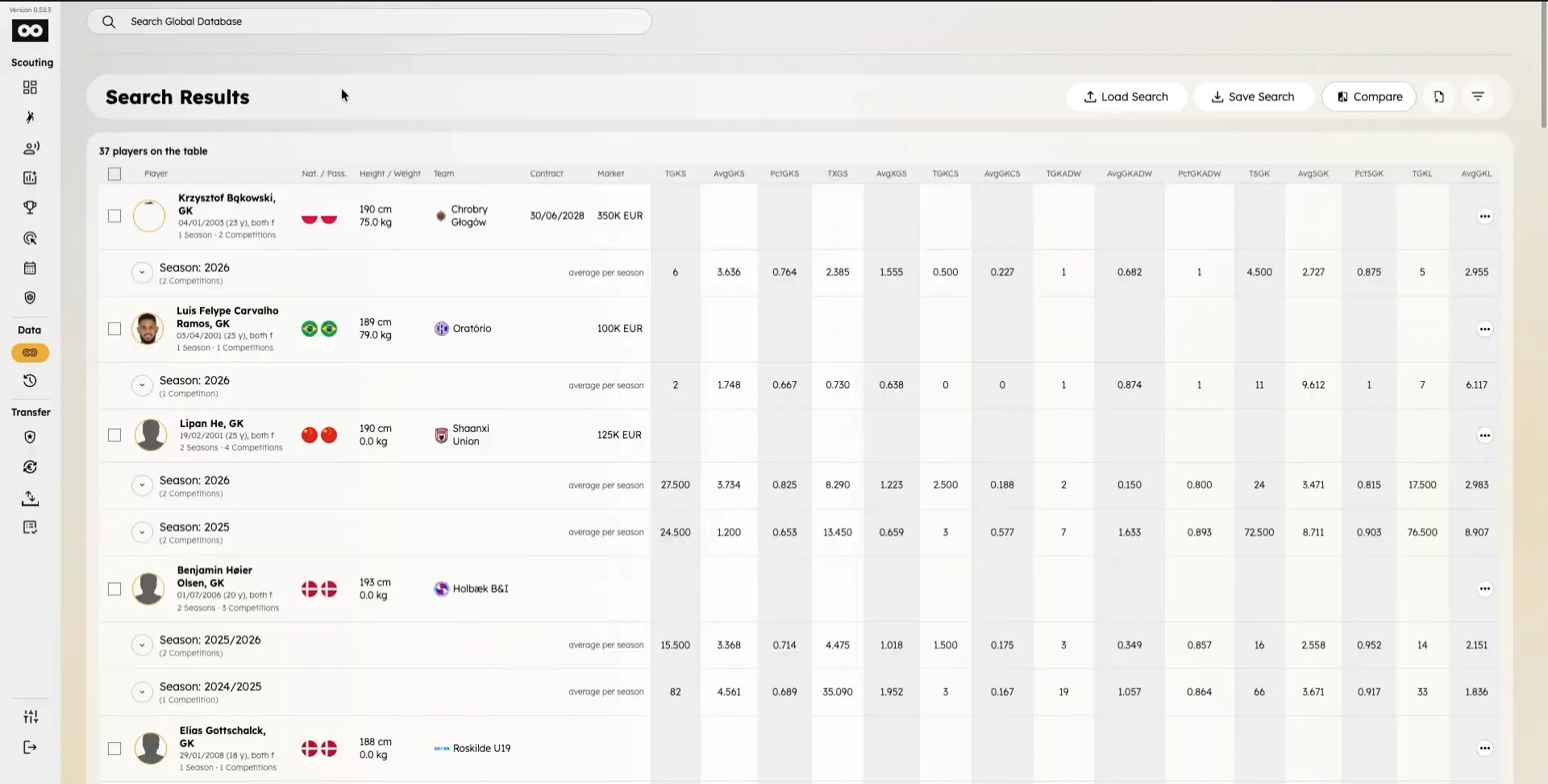
- Open a player from the results to inspect details.
Save a search
- In Discovery Search (use Advanced if needed), tap Load Search, then Save.
- Enter a title for the saved search.
- Complete the advanced filters (player info, stats per position, and other stats).
- Tap Save to keep the search for later.
Compare players
- Run a search and open the results page.
- Select the players you want to compare.
- Tap Compare to open the comparison view.
- Review metrics and profile differences across table, column, spider, or scatter views.
Previous discoveries
- Open Previous discoveries in the sidebar under Data.
- Browse previous search sessions and open a result set to review.
- Select players and use Add selected players to a list to move them into a list.
Bulk selection toolbar
- On search results, select players with row checkboxes.
- Compare — open the comparison view.
- Use the add-to-list action in the toolbar to move selected players into a list.