
Step by step
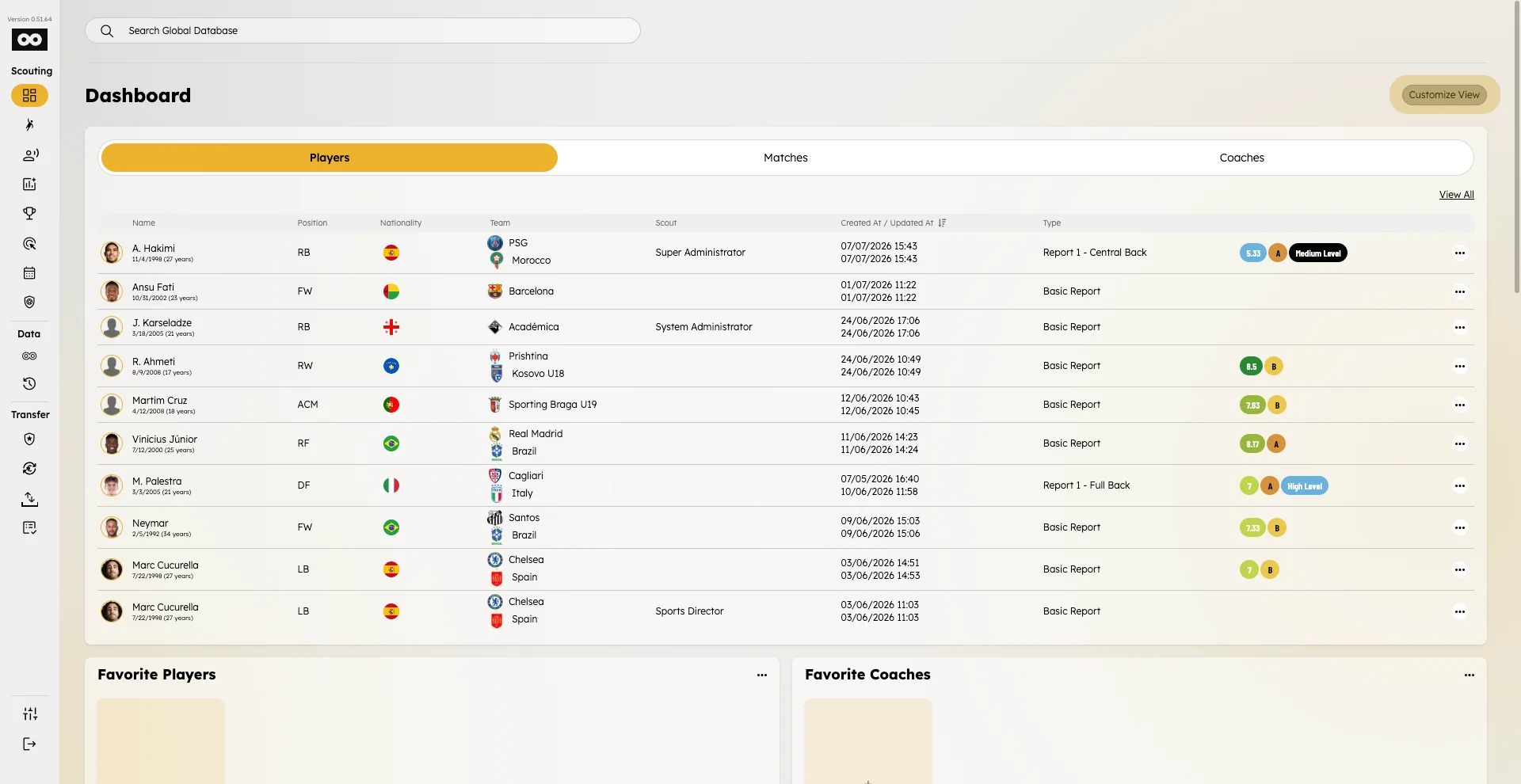
- Open Dashboard in the sidebar.
- Tap Customize view.
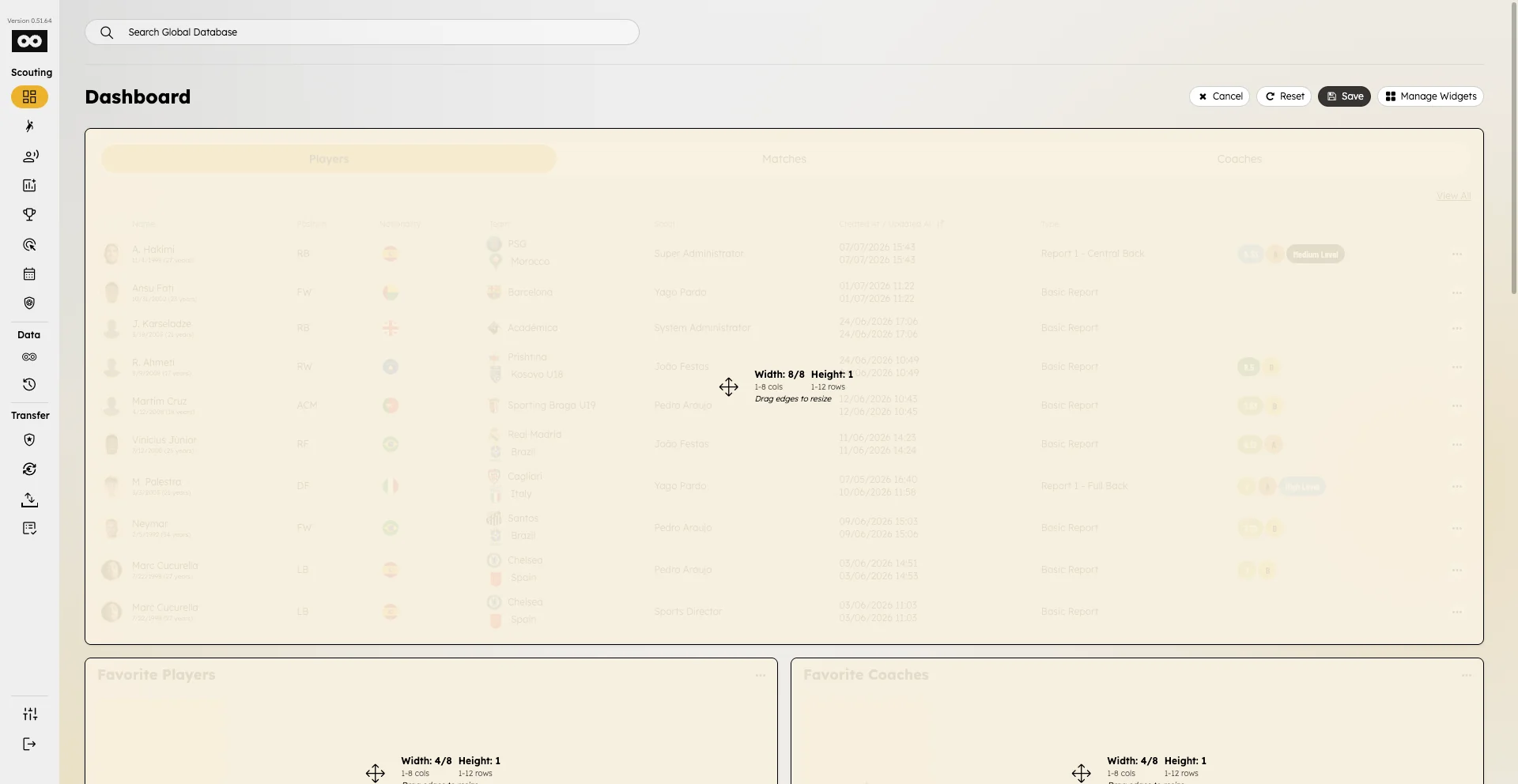
- Drag widgets to reorder them and resize when handles are available.
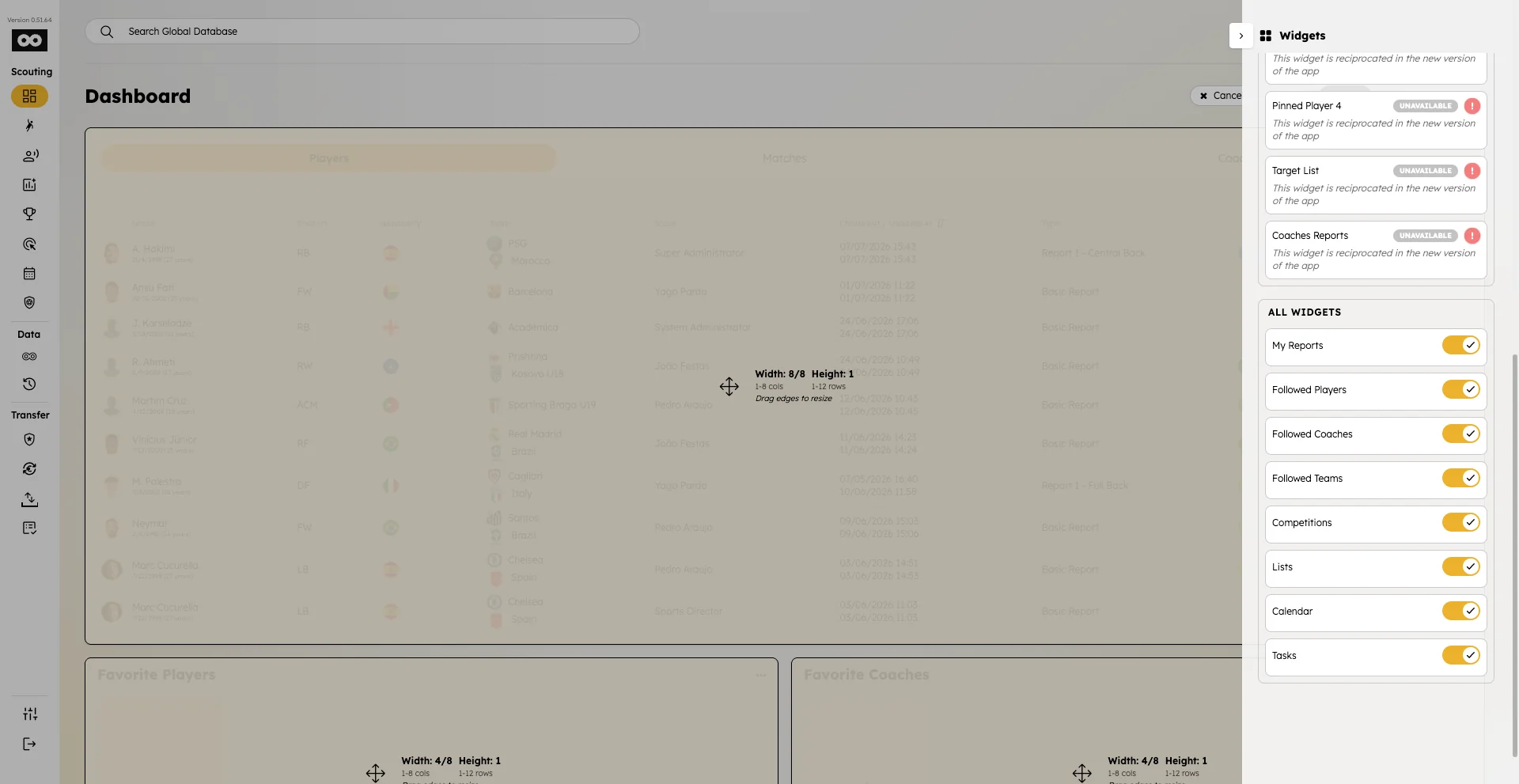
- Use Manage widgets to show or hide widgets — including players assigned and coaches assigned.
- See Players assigned widget and Coaches assigned widget for how to use the new cards.
- Tap Save to keep your layout.